About Feature Requests
You can submit feature requests or ideas directly through the Iru Web App.Submit a Feature Request
1
Open Organization
In the sidebar, click the Account Menu Button, then select Organization.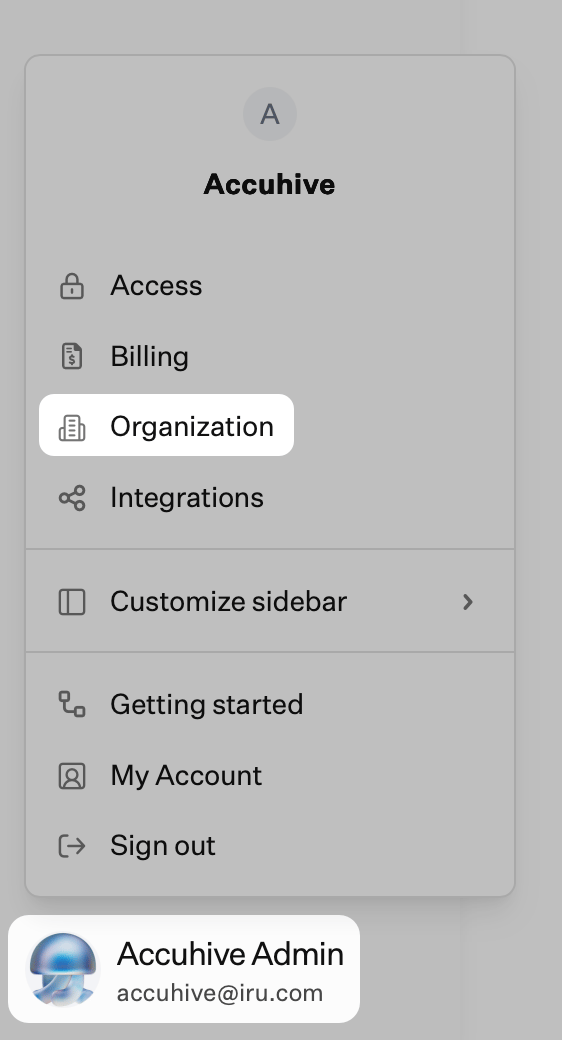
2
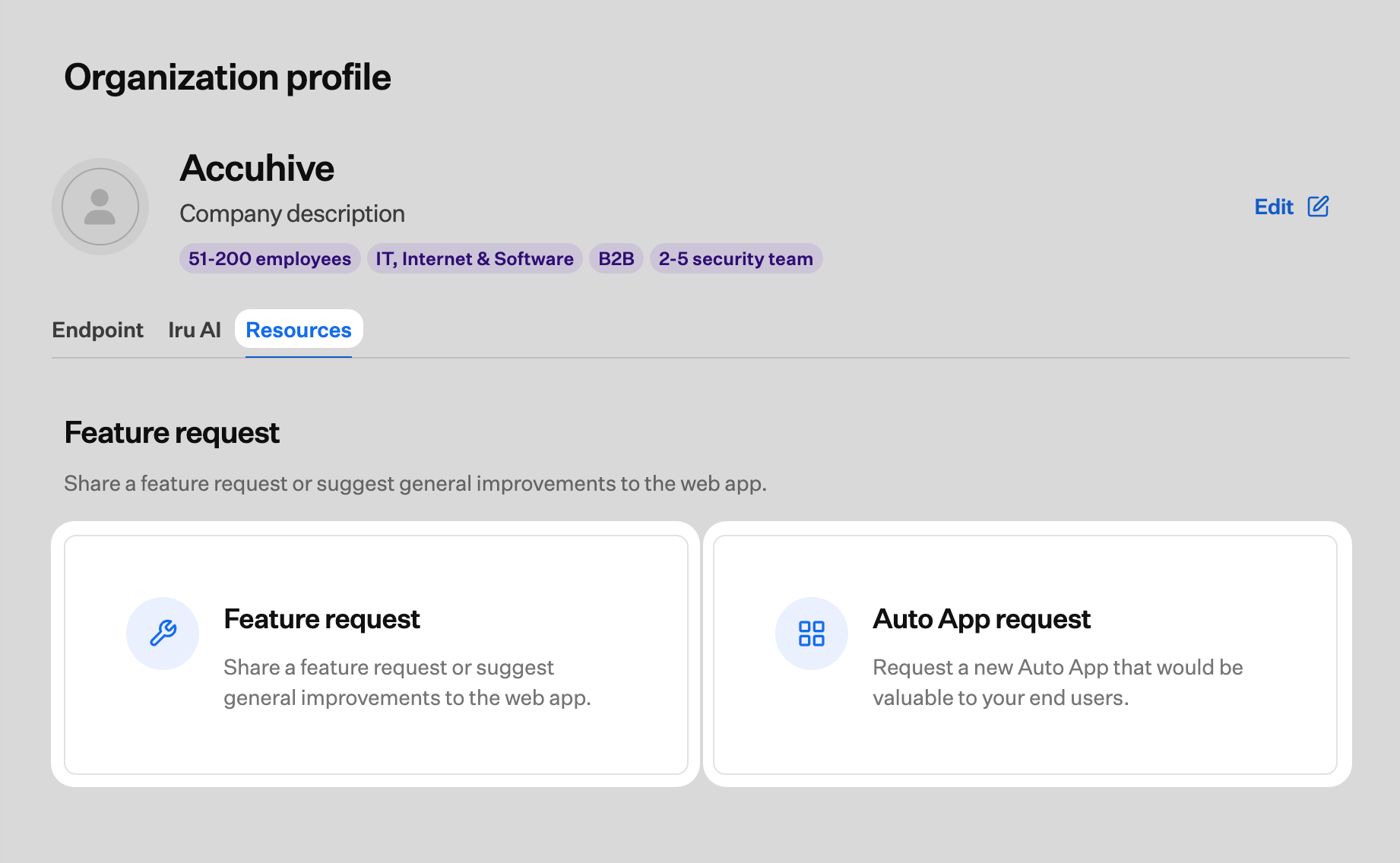
Open Resources and choose a request type
Click the Resources tab. Select Submit Feature Request to send a feature idea, or Auto App request to suggest a new Auto App.